Valorant Pro Player Settings (Continually Updated!)
Hey everyone!
This article is a bit different than our usual content, it’s more of a curated collection than an instructional guide.
Our goal is to display the settings of pro players and streamers to allow you to get a feel for how they play and be able to explore what may work better for you in comparison to your current settings.
From Valorant crosshairs to graphics settings, we have it all, below we’ll list all of the players we have settings for:
- 100T Asuna
- Brax
- Faze Babybay
- XSET Cryo
- 100T Hiko
- G2 Mixwell
- GMB NAts
- 100T Nitro
- Noted
- TL Scream
- Shanks
- SEN Shazham
- SEN Shroud
- SEN Sinatraa
- TSM Subroza
- Tenz
- TSM Wardell
We’ll be continually updating this overtime so be sure to check back often. Let us know in the comments who you’d like to see next! Also, you can check general-purpose settings to get maximum FPS in Valorant.
100T Asuna
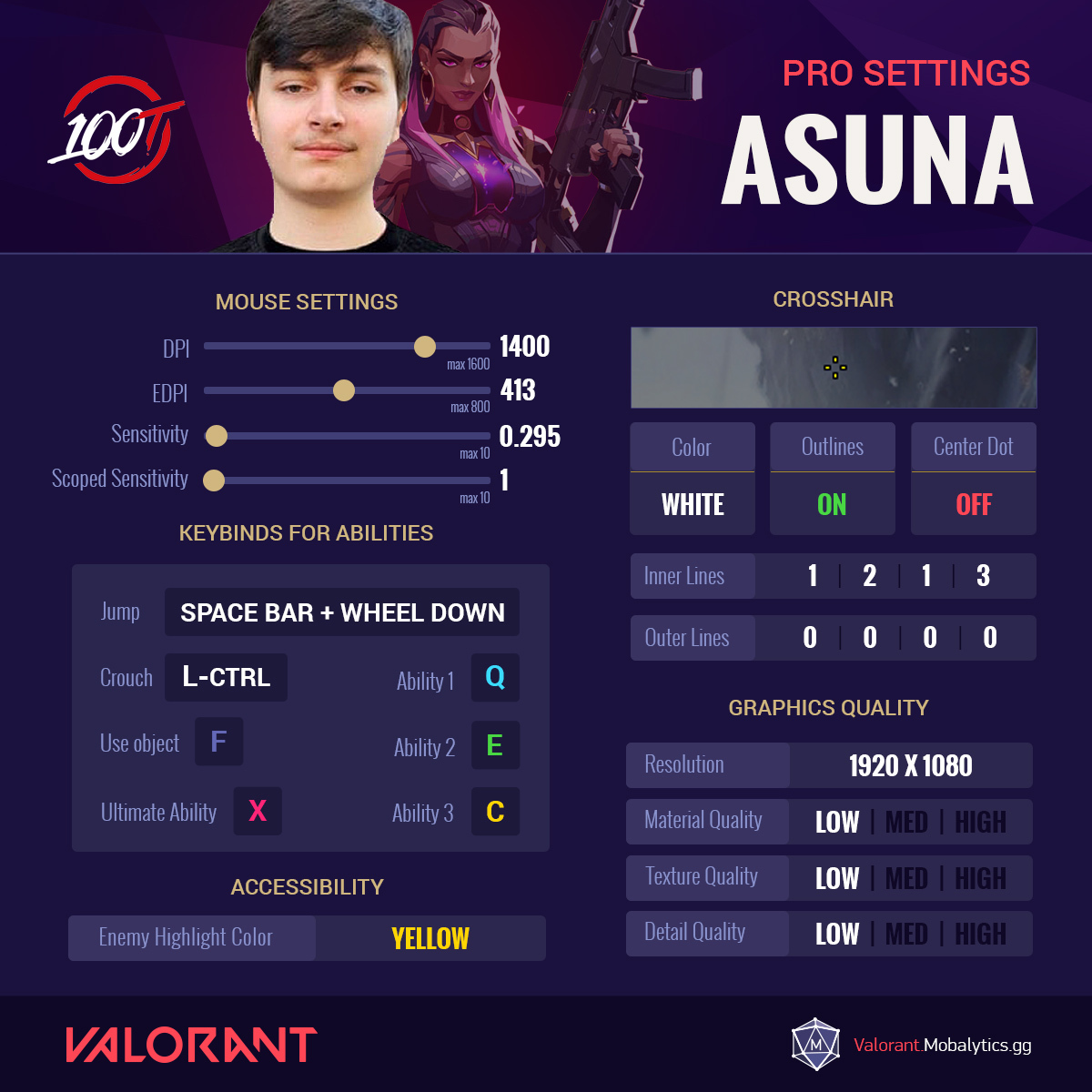
100T Asuna’s Valorant Settings
- Mouse Settings
- DPI = 1400 (max 1600)
- EDPI = 413 (max 800)
- Sensitivity =0.295 (max 10)
- Scoped Sensitivity = 1 (max 10)
- Ability Keybinds
- Jump = Spacebar + Wheel Down
- Crouch = Left Ctrl
- Use Object = F
- Ability 1 = Q
- Ability 2 = E
- Ability 3 = C
- Ultimate Ability = X
- Crosshair
- Color = White
- Outlines = On
- Center Dot = Off
- Inner Lines = 1|2|1|3
- Outer Lines = 0|0|0|0
- Graphics Quality
- Resolution = 1920 x 1080
- Material Quality = Low
- Texture Quality = Low
- Detail Quality = Low
- Accessibility
- Enemy Highlight Color = Yellow
100T Asuna’s Socials
- Twitch
Babybay (Faze)
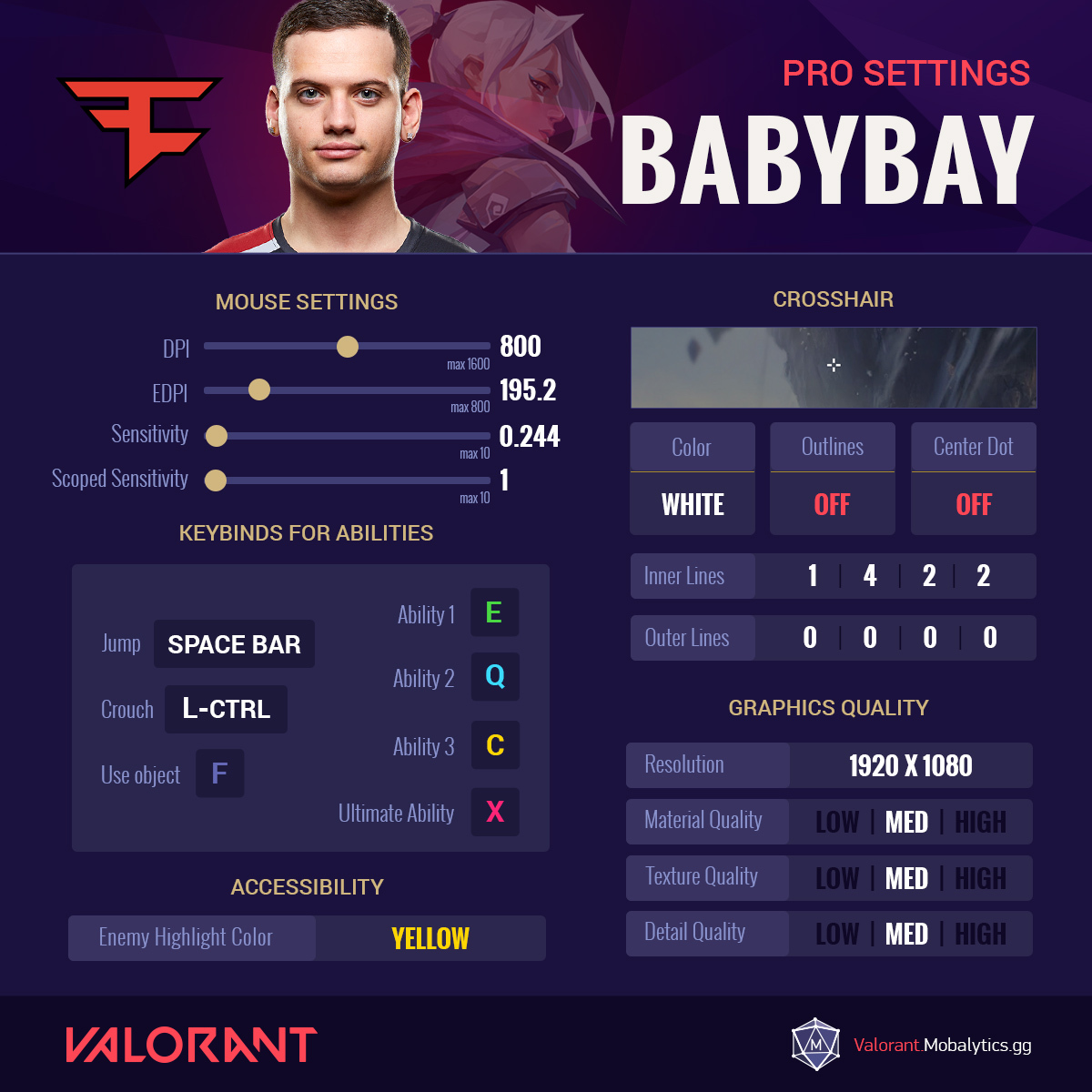
Babybay’s Valorant Settings
- Mouse Settings
- DPI = 800 (max 1600)
- EDPI = 195.2 (max 800)
- Sensitivity =0.244 (max 10)
- Scoped Sensitivity = 1 (max 10)
- Ability Keybinds
- Jump = Spacebar
- Crouch = Left Ctrl
- Use Object = F
- Ability 1 = E
- Ability 2 = Q
- Ability 3 = C
- Ultimate Ability = X
- Crosshair
- Color = White
- Outlines = Off
- Center Dot = Off
- Inner Lines = 1|4|2|2
- Outer Lines = 0|0|0|0
- Graphics Quality
- Resolution = 1920 x 1080
- Material Quality = Med
- Texture Quality = Med
- Detail Quality = Med
- Accessibility
- Enemy Highlight Color = Yellow
FAZE Babybay’s Socials
- Twitch
- Youtube
Brax (fomerly T1)

Brax’s Valorant Settings
- Mouse Settings
- DPI = 400 (max 1600)
- EDPI = 136 (max 800)
- Sensitivity =0.34 (max 10)
- Scoped Sensitivity = 1 (max 10)
- Ability Keybinds
- Jump = Spacebar
- Crouch = Left Ctrl
- Use Object = F
- Ability 1 = E
- Ability 2 = Q
- Ability 3 = C
- Ultimate Ability = X
- Crosshair
- Color = Green
- Outlines = On
- Center Dot = Off
- Inner Lines = 1|4|3|4
- Outer Lines = 1|0|2|0
- Graphics Quality
- Resolution = 1600 x 900
- Note that Brax has recently changed to full HD
- Material Quality = Low
- Texture Quality = Low
- Detail Quality = Low
- Resolution = 1600 x 900
- Accessibility
- Enemy Highlight Color = Red
Brax’s Socials
- Twitch
- Youtube
Cryo (XSET)
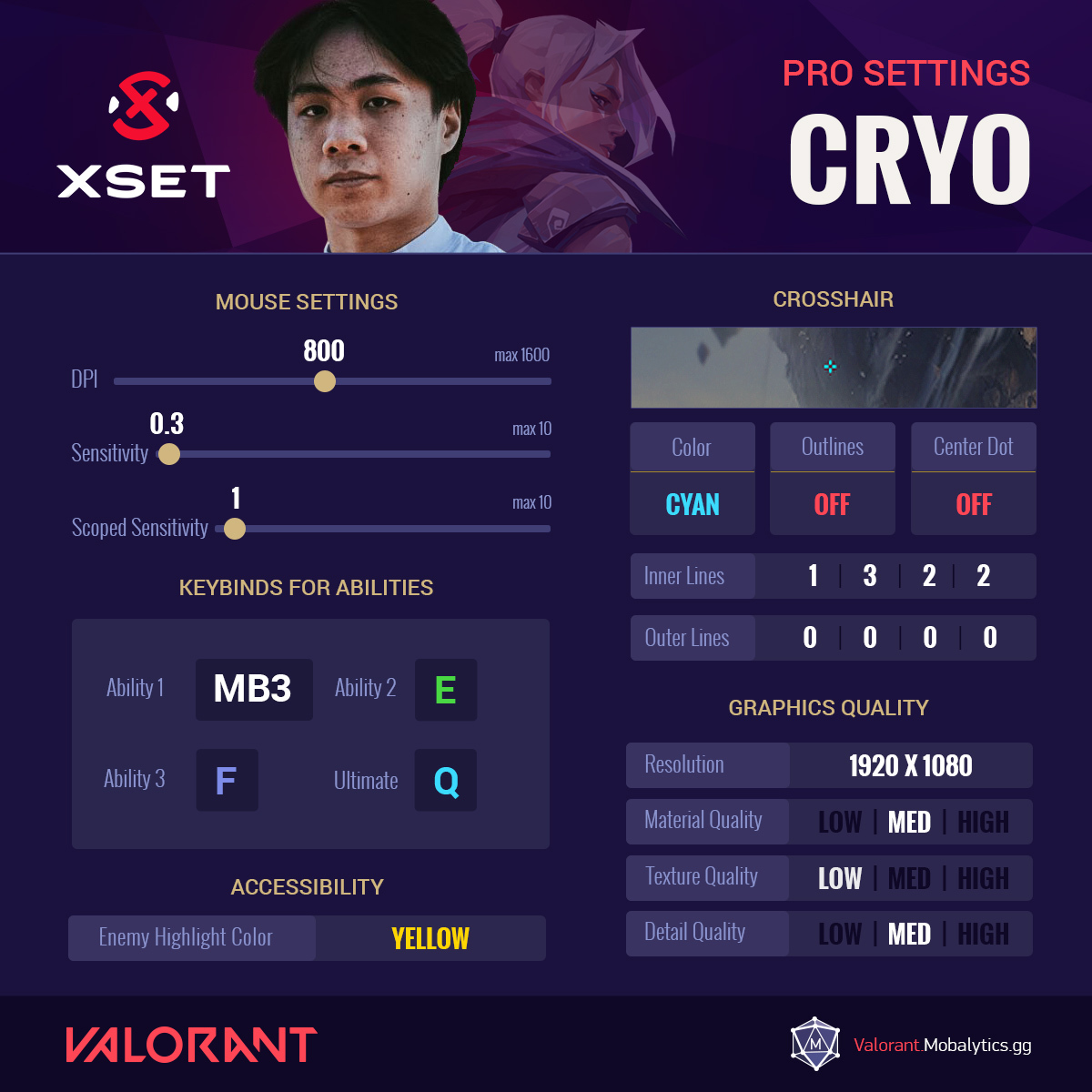
XSET Cryo’s Valorant Settings
- Mouse Settings
- DPI = 800 (max 1600)
- Sensitivity = 0.3(max 10)
- Scoped Sensitivity = 1 (max 10)
- Ability Keybinds
- Ability 1 = MB3
- Ability 2 = E
- Ability 3 = F
- Ultimate Ability = Q
- Crosshair
- Color = Cyan
- Outlines = Off
- Center Dot = Off
- Inner Lines = 1|3|2|2
- Outer Lines = 0|0|0|0
- Graphics Quality
- Resolution = 1920 x 1080
- Material Quality = Med
- Texture Quality = Low
- Detail Quality = Med
- Accessibility
- Enemy Highlight Color = Yellow
XSET Cryo Socials
- Twitch
- Youtube
Hiko (100 Thieves)

100T Hiko’s Valorant Settings
- Mouse Settings
- DPI = 1600 (max 1600)
- EDPI = 576 (max 800)
- Sensitivity = 0.36 (max 10)
- Scoped Sensitivity = 1 (max 10)
- Ability Keybinds
- Jump = Spacebar
- Crouch = Left Ctrl
- Use Object = F
- Ability 1 = C
- Ability 2 = Q
- Ability 3 = E
- Ultimate Ability = X
- Crosshair
- Color = Green
- Outlines = On
- Center Dot = On
- Inner Lines = 1|4|2|3
- Outer Lines = 0|0|6|8
- Graphics Quality
- Resolution = 1920 x 1080
- Material Quality = High
- Texture Quality = High
- Detail Quality = High
- Accessibility
- Enemy Highlight Color = Red
100T Hiko’s Socials
- Twitch
- Youtube
Mixwell (G2)
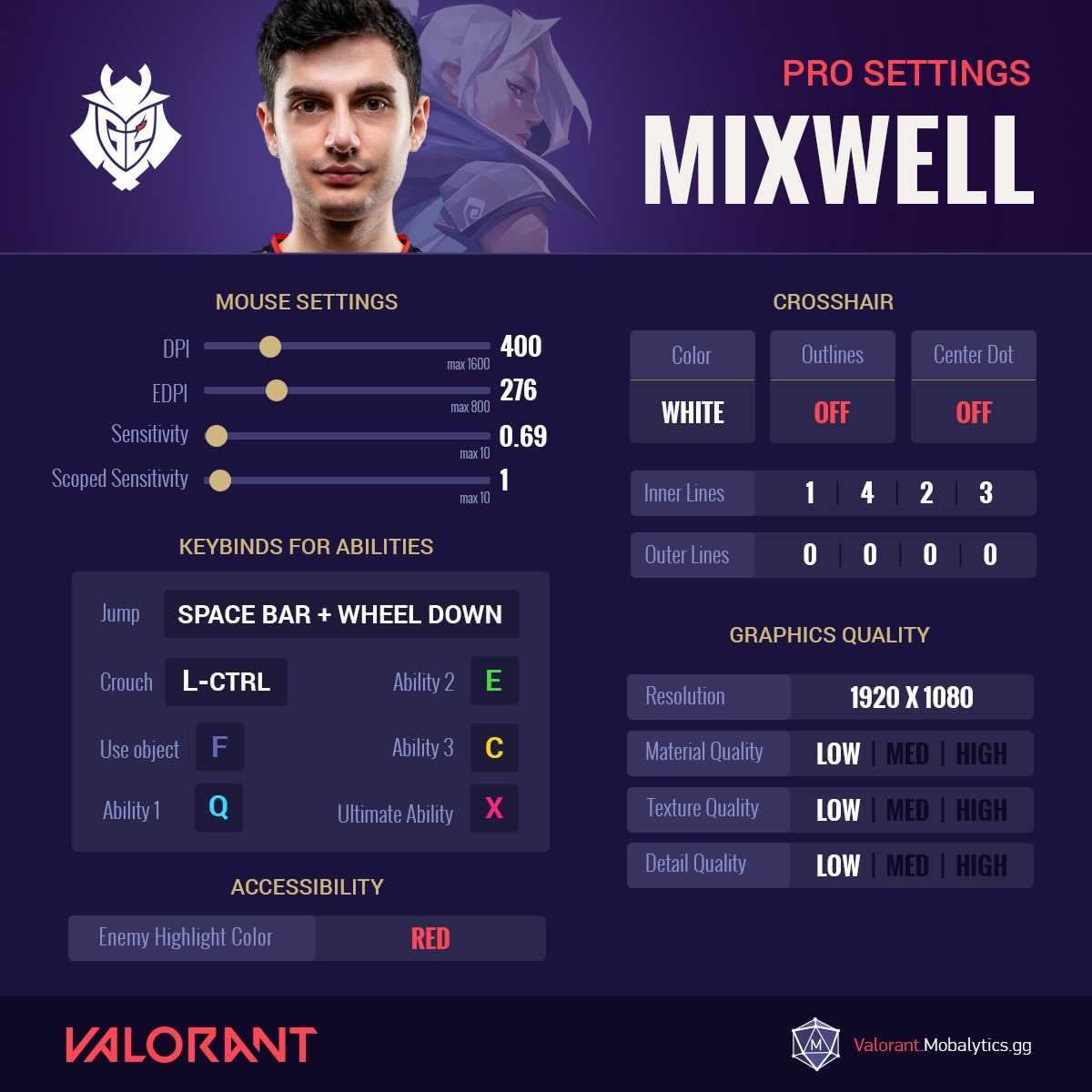
G2 Mixwell’s Valorant Settings
- Mouse Settings
- DPI = 400 (max 1600)
- EDPI = 276 (max 800)
- Sensitivity = 0.69 (max 10)
- Scoped Sensitivity = 1 (max 10)
- Ability Keybinds
- Jump = Spacebar + Wheel Down
- Crouch = Left Ctrl
- Use Object = F
- Ability 1 = Q
- Ability 2 = E
- Ability 3 = C
- Ultimate Ability = X
- Crosshair
- Color = White
- Outlines = Off
- Center Dot = Off
- Inner Lines = 1|4|2|3
- Outer Lines = 0|0|0|0
- Graphics Quality
- Resolution = 1920 x 1080
- Material Quality = Low
- Texture Quality = Low
- Detail Quality = Low
- Accessibility
- Enemy Highlight Color = Red
G2 Mixwell’s Socials
- Twitch
- Youtube
nAts (Gambit Esports)
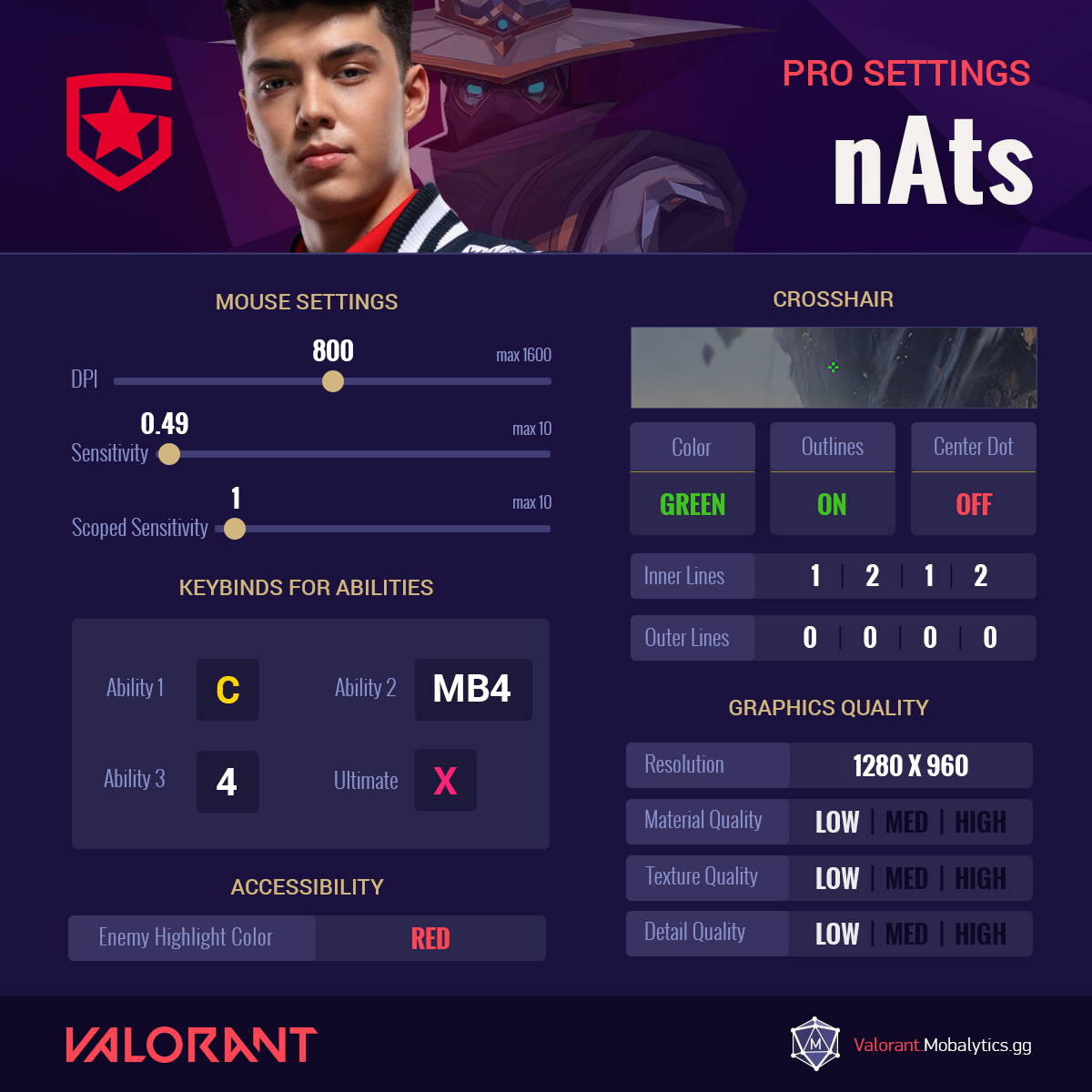
GMB nAts’s Valorant Settings
- Mouse Settings
- DPI = 800 (max 1600)
- Sensitivity = 0.49 (max 10)
- Scoped Sensitivity = 1 (max 10)
- Ability Keybinds
- Ability 1 = C
- Ability 2 = MB4
- Ability 3 = 4
- Ultimate Ability = X
- Crosshair
- Color = Green
- Outlines = On
- Center Dot = Off
- Inner Lines = 1|2|1|2
- Outer Lines = 0|0|0|0
- Graphics Quality
- Resolution = 1280 x 960
- Material Quality = Low
- Texture Quality = Low
- Detail Quality = Low
- Accessibility
- Enemy Highlight Color = Red
GMB nAts’s Socials
- Twitch
- Youtube
Nitro (100 Thieves)
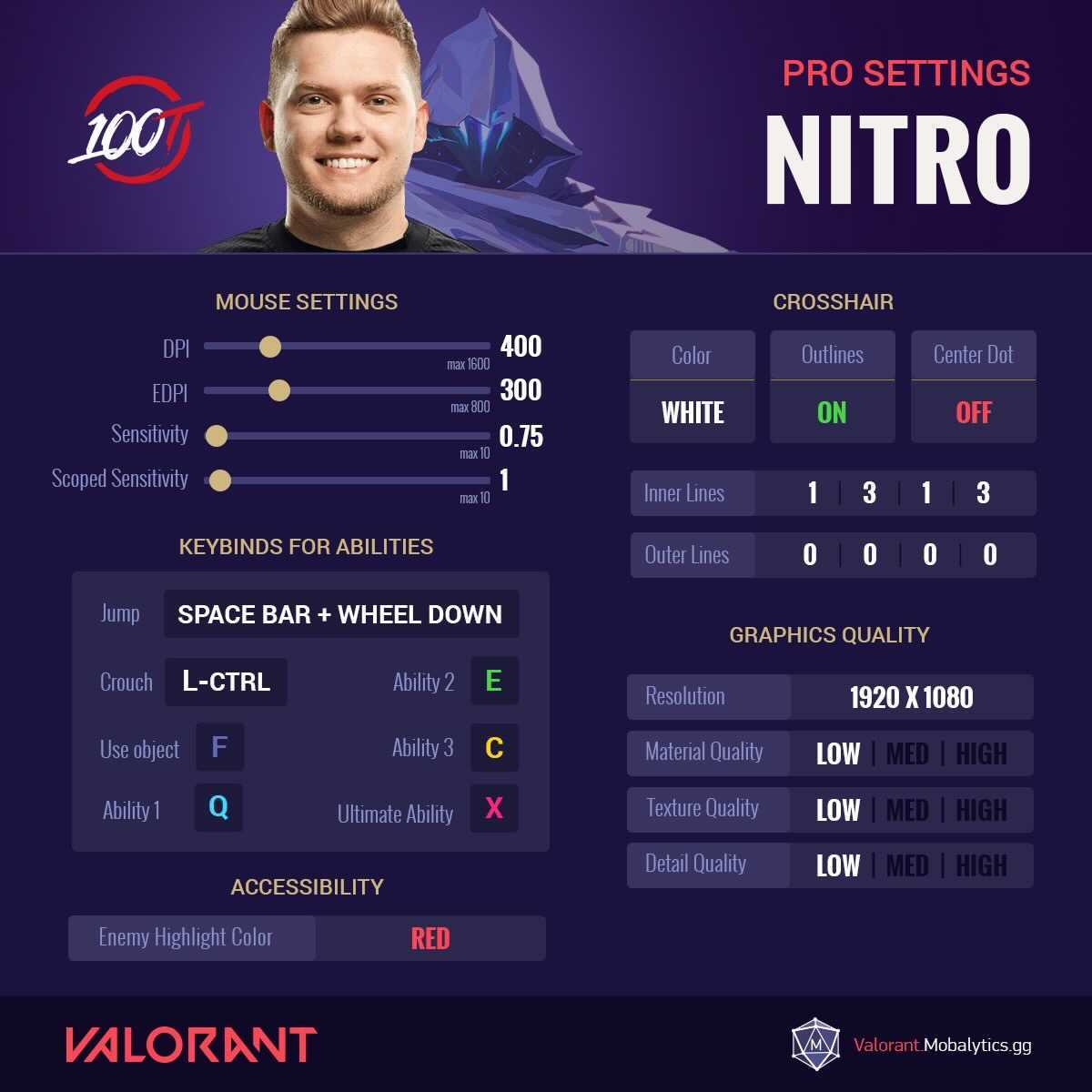
100T Nitro’s Valorant Settings
- Mouse Settings
- DPI = 400 (max 1600)
- EDPI = 300 (max 800)
- Sensitivity = 0.75 (max 10)
- Scoped Sensitivity = 1 (max 10)
- Ability Keybinds
- Jump = Spacebar + Wheel Down
- Crouch = Left Ctrl
- Use Object = F
- Ability 1 = Q
- Ability 2 = E
- Ability 3 = C
- Ultimate Ability = X
- Crosshair
- Color = White
- Outlines = Off
- Center Dot = On
- Inner Lines = 1|3|1|3
- Outer Lines = 0|0|0|0
- Graphics Quality
- Resolution = 1920 x 1080
- Material Quality = Low
- Texture Quality = Low
- Detail Quality = Low
- Accessibility
- Enemy Highlight Color = Red
100T Nitro’s Socials
- Twitch
- Youtube
Noted (Streamer)
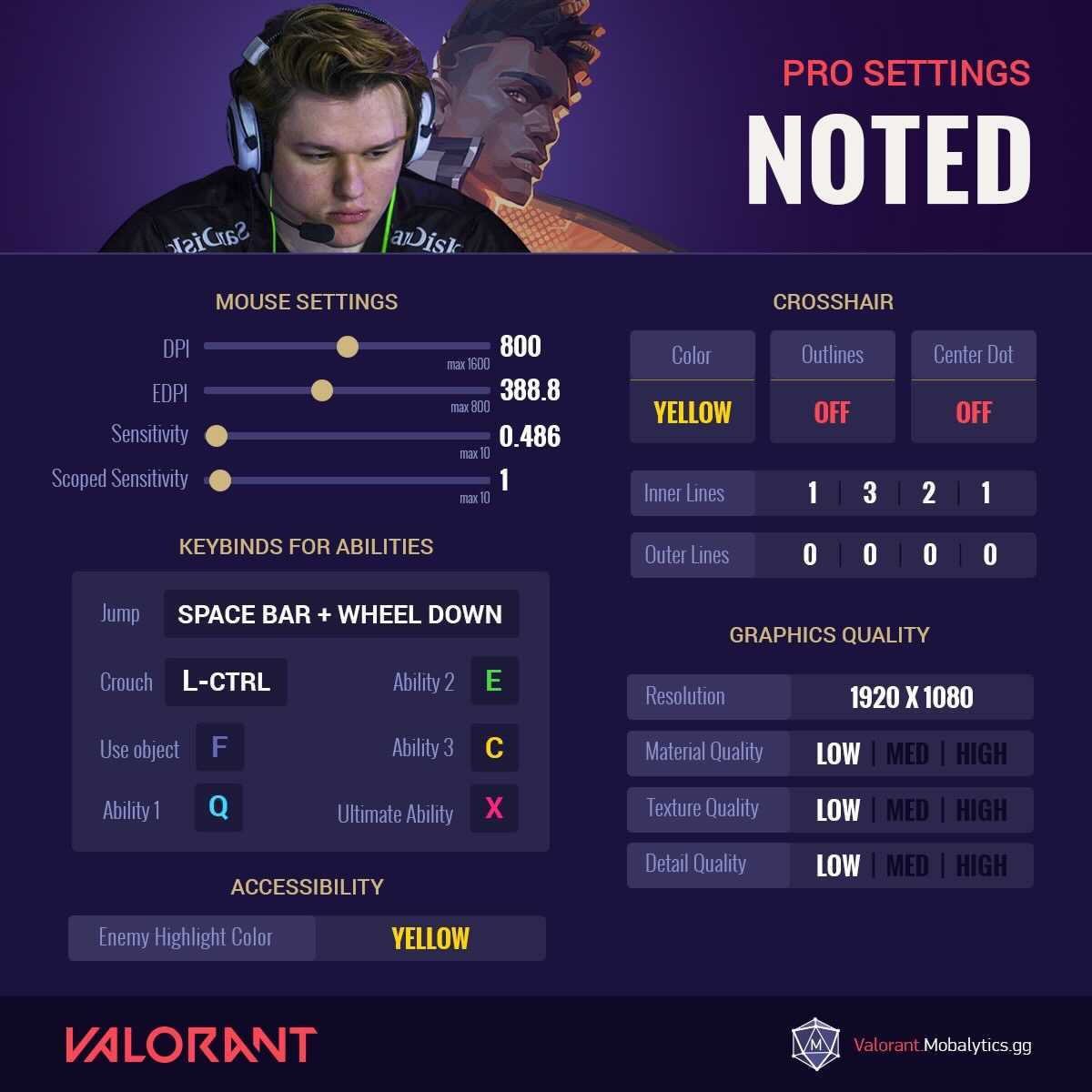
Noted’s Valorant Settings
- Mouse Settings
- DPI = 800 (max 1600)
- EDPI = 388.8 (max 800)
- Sensitivity = 0.486(max 10)
- Scoped Sensitivity = 1 (max 10)
- Ability Keybinds
- Jump = Spacebar + Wheel Down
- Crouch = Left Ctrl
- Use Object = F
- Ability 1 = Q
- Ability 2 = E
- Ability 3 = C
- Ultimate Ability = X
- Crosshair
- Color = Yellow
- Outlines = Off
- Center Dot = Off
- Inner Lines = 1|3|2|1
- Outer Lines = 0|0|0|0
- Graphics Quality
- Resolution = 1920 x 1080
- Material Quality = Low
- Texture Quality = Low
- Detail Quality = Low
- Accessibility
- Enemy Highlight Color = Yellow
Noted’s Socials
- Twitch
- Youtube
Sinatraa (SEN)
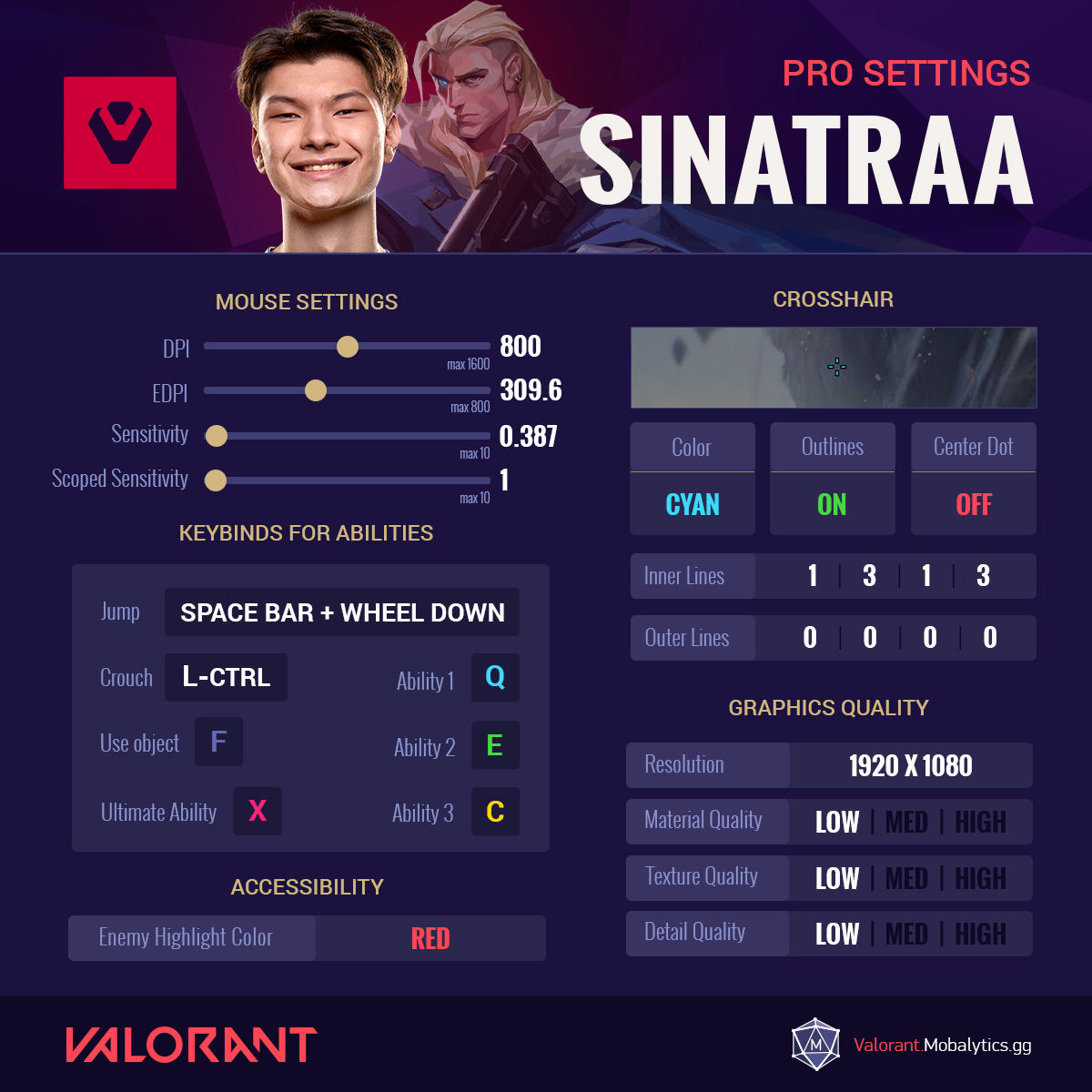
SEN Sinatraa’s Valorant Settings
- Mouse Settings
- DPI = 800 (max 1600)
- EDPI = 309.6 (max 800)
- Sensitivity = 0.387(max 10)
- Scoped Sensitivity = 1 (max 10)
- Ability Keybinds
- Jump = Spacebar + Wheel Down
- Crouch = Left Ctrl
- Use Object = F
- Ability 1 = Q
- Ability 2 = E
- Ability 3 = C
- Ultimate Ability = X
- Crosshair
- Color = Cyan
- Outlines = On
- Center Dot = Off
- Inner Lines = 1|3|1|3
- Outer Lines = 0|0|0|0
- Graphics Quality
- Resolution = 1920 x 1080
- Material Quality = Low
- Texture Quality = Low
- Detail Quality = Low
- Accessibility
- Enemy Highlight Color = Red
SEN Sentinel Socials
- Twitch
- Youtube
TSM Subroza
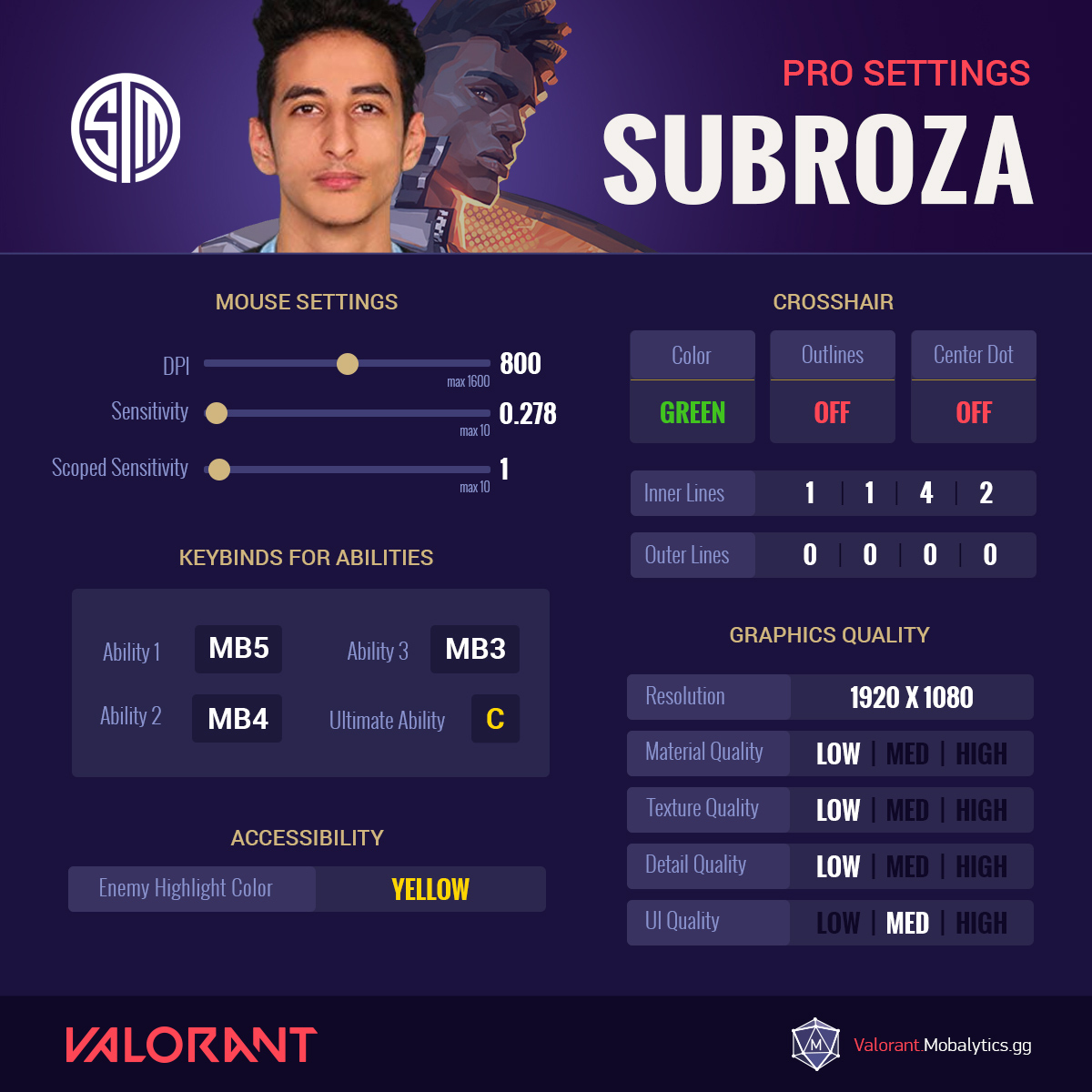
TSM Subroza’s Valorant Settings
- Mouse Settings
- DPI = 800 (max 1600)
- Sensitivity = 0.278 (max 10)
- Scoped Sensitivity = 1 (max 10)
- Ability Keybinds
- Ability 1 = MB5
- Ability 2 = MB4
- Ability 3 = MB3
- Ultimate Ability = C
- Crosshair
- Color = Green
- Outlines = Off
- Center Dot = Off
- Inner Lines = 1|1|4|2
- Outer Lines = 0|0|0|0
- Graphics Quality
- Resolution = 1920 x 1080
- Material Quality = Low
- Texture Quality = Low
- Detail Quality = Low
- UI Quality = Medium
- Accessibility
- Enemy Highlight Color = Yellow
TSM Subroza’s Socials
- Twitch
- Youtube
Scream (Team Liquid)

TL Screams’s Valorant Settings
- Mouse Settings
- DPI = 400 (max 1600)
- EDPI = 306 (max 800)
- Sensitivity =0.765 (max 10)
- Scoped Sensitivity = 1 (max 10)
- Ability Keybinds
- Jump = Spacebar
- Crouch = Left Ctrl
- Use Object = E
- Ability 1 = F
- Ability 2 = Q
- Ability 3 = C
- Ultimate Ability = X
- Crosshair
- Color = Cyan
- Outlines = On
- Center Dot = On
- Inner Lines = 1|0|0|0
- Outer Lines = 0|0|0|0
- Graphics Quality
- Resolution = 1920 x 1080
- Material Quality = Low
- Texture Quality = Low
- Detail Quality = Low
- Accessibility
- Enemy Highlight Color = Red
TL Scream’s Socials
- Twitch
- Youtube
Shanks (Streamer)
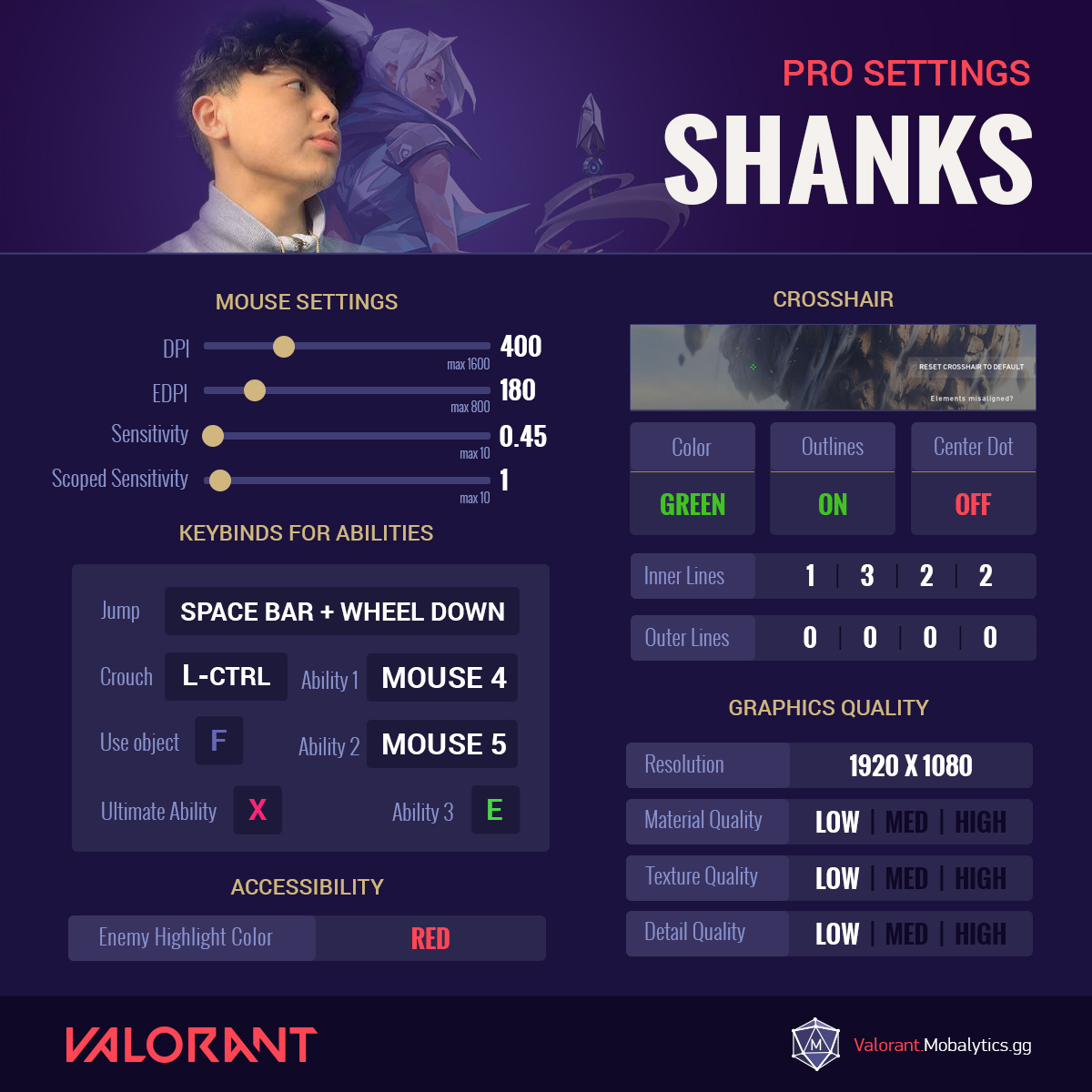
Shanks’s Valorant Settings
- Mouse Settings
- DPI = 400 (max 1600)
- EDPI = 180 (max 800)
- Sensitivity =0.45 (max 10)
- Scoped Sensitivity = 1 (max 10)
- Ability Keybinds
- Jump = Spacebar + wheel down
- Crouch = Left Ctrl
- Use Object = F
- Ability 1 = Mouse 4
- Ability 2 = Mouse 5
- Ability 3 = E
- Ultimate Ability = X
- Crosshair
- Color = Green
- Outlines = On
- Center Dot = Off
- Inner Lines = 1|3|2|2
- Outer Lines = 0|0|0|0
- Graphics Quality
- Resolution = 1920 x 1080
- Material Quality = Low
- Texture Quality = Low
- Detail Quality = Low
- Accessibility
- Enemy Highlight Color = Red
Shazham (SEN)
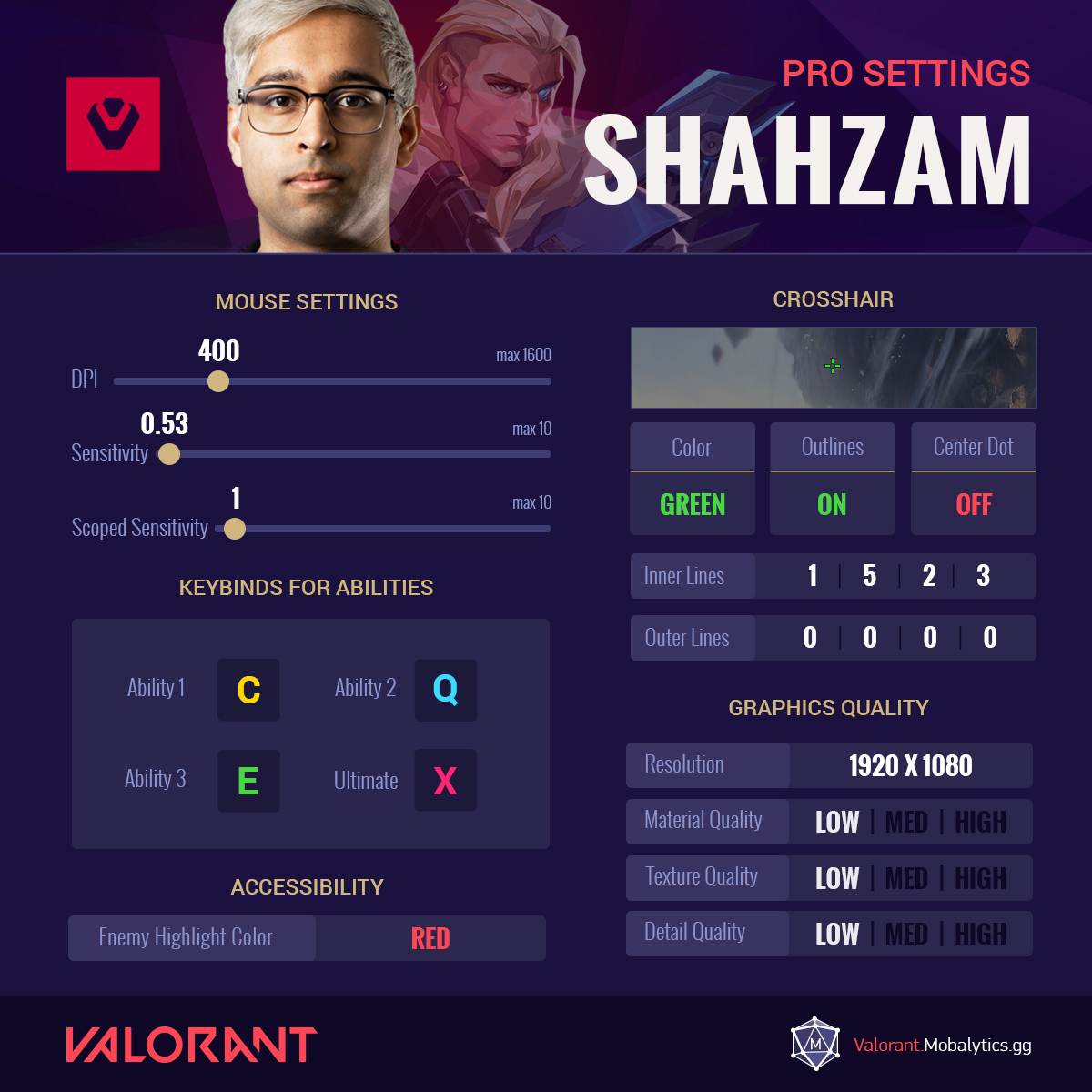
SEN Shazham’s Valorant Settings
- Mouse Settings
- DPI = 400 (max 1600)
- Sensitivity =0.53 (max 10)
- Scoped Sensitivity = 1 (max 10)
- Ability Keybinds
- Ability 1 = C
- Ability 2 = Q
- Ability 3 = E
- Ultimate Ability = X
- Crosshair
- Color = Green
- Outlines = On
- Center Dot = Off
- Inner Lines = 1|5|2|3
- Outer Lines = 0|0|0|0
- Graphics Quality
- Resolution = 1920 x 1080
- Material Quality = Low
- Texture Quality = Low
- Detail Quality = Low
- Accessibility
- Enemy Highlight Color = Red
SEN Shroud
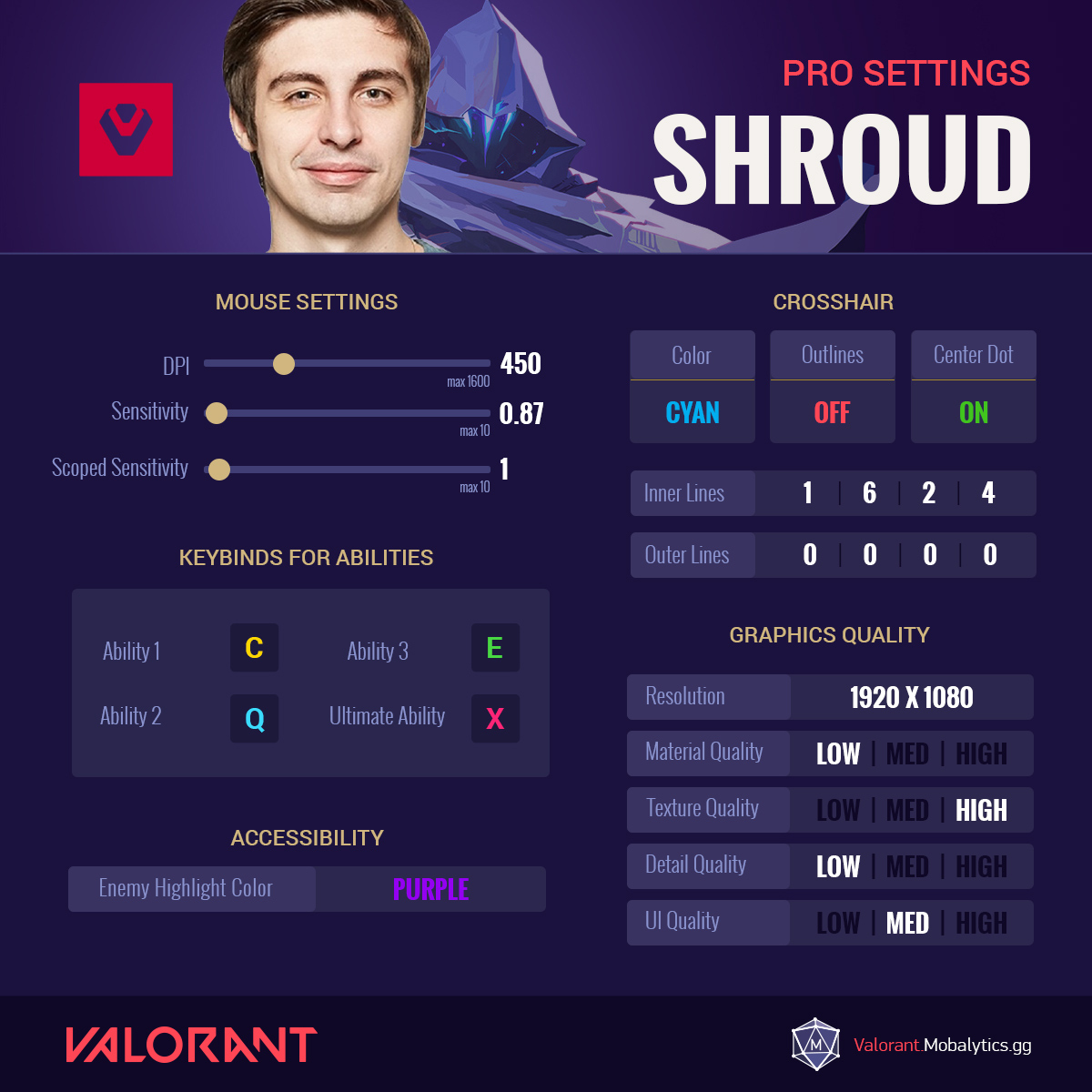
Shroud’s Valorant Settings
- Mouse Settings
- DPI = 450 (max 1600)
- Sensitivity =0.8778 (max 10)
- Scoped Sensitivity = 1 (max 10)
- Ability Keybinds
- Ability 1 = C
- Ability 2 = Q
- Ability 3 = E
- Ultimate Ability = X
- Crosshair
- Color = Cyan
- Outlines = Off
- Center Dot = On
- Inner Lines = 1|6|2|4
- Outer Lines = 0|0|0|0
- Graphics Quality
- Resolution = 1920 x 1080
- Material Quality = Low
- Texture Quality = High
- Detail Quality = Low
- UI Quality = Medium
- Accessibility
- Enemy Highlight Color = Purple
Shroud’s Socials
- Twitch
- Youtube
SEN Tenz
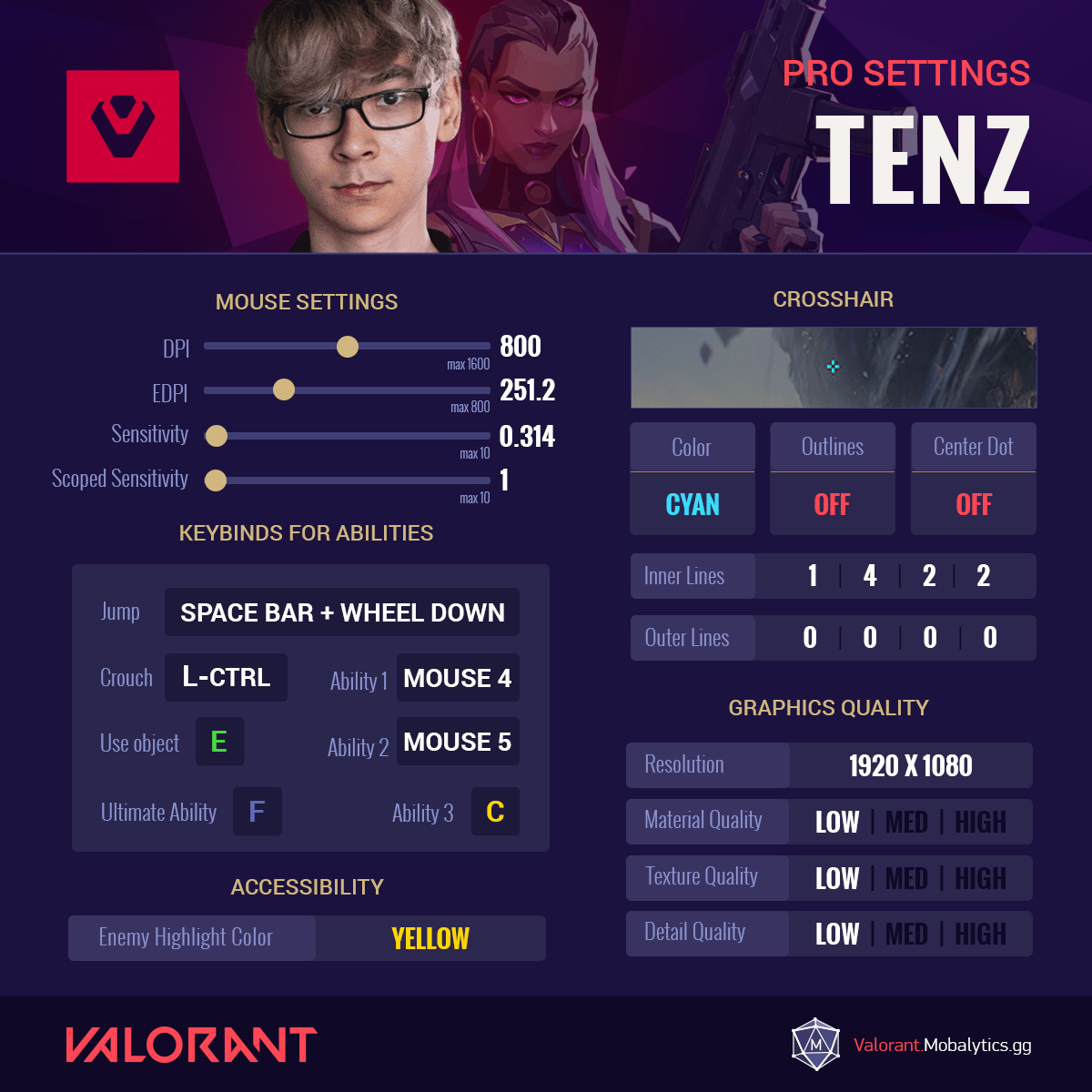
SEN Tenz’s Valorant Settings
- Mouse Settings
- DPI = 800 (max 1600)
- EDPI = 251.2 (max 800)
- Sensitivity = 0.314 (max 10)
- Scoped Sensitivity = 1 (max 10)
- Ability Keybinds
- Jump = Spaec Bar + Wheel Down
- Crouch = Left Ctrl
- Use Object = E
- Ability 1 = Mouse 4
- Ability 2 = Mouse 5
- Ability 3 = C
- Ultimate Ability = F
- Crosshair
- Color = Cyan
- Outlines = Off
- Center Dot = Off
- Inner Lines = 1|4|2|2
- Outer Lines = 0|0|0|0
- Graphics Quality
- Resolution = 1920 x 1080
- Material Quality = Low
- Texture Quality = Low
- Detail Quality = Low
- Accessibility
- Enemy Highlight Color = Yellow
SEN Tenz’s Socials
- Twitch
- Youtube
Wardell (TSM)

TSM Wardell’s Valorant Settings
- Mouse Settings
- DPI = 400 (max 1600)
- EDPI = 261.2 (max 800)
- Sensitivity =0.653(max 10)
- Scoped Sensitivity = 1.15 (max 10)
- Ability Keybinds
- Jump = Wheel Down
- Crouch = Left Ctrl
- Use Object = E
- Ability 1 = Mouse 4
- Ability 2 = Mouse 5
- Ability 3 = F
- Ultimate Ability = C
- Crosshair
- Color = Cyan
- Outlines = Off
- Center Dot = Off
- Inner Lines = 1|4|2|2
- Outer Lines = 0|0|0|0
- Graphics Quality
- Resolution = 1920 x 1080
- Material Quality = Low
- Texture Quality = Low
- Detail Quality = Low
- Accessibility
- Enemy Highlight Color = Yellow
TSM Wardell’s Socials
- Twitch
- Youtube
That’s all for now! Let us know which Valorant pro’s settings you’d like to see next in the comments below. Be sure to check out our Valorant site to find the best agent ability lineups that the pros use!
