
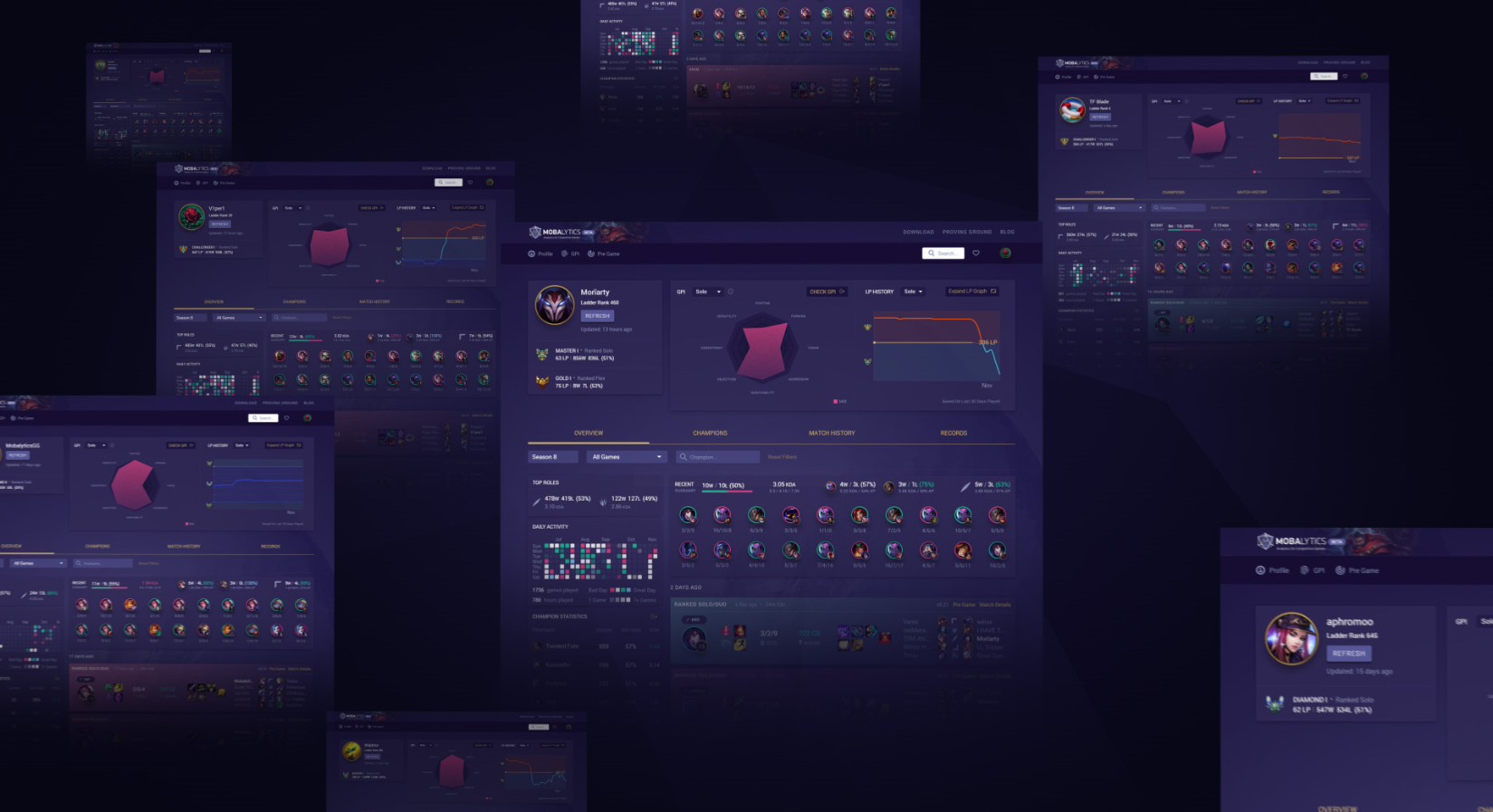
League of Legends “stats sites” just don’t cut it anymore
In order to be the best League player you can be, you need access to the best tool and techniques possible to help you along your journey. Along your path to climbing, you’ll be facing many different challenges from different angles. These challenges often change and transform patch to patch, day to day, and game by game.
We had this in mind from the very beginning when creating all the different Mobalytics platform features. Each feature has an intended purpose to be the go-to tool at different points in your gaming experiences.
For example, the GPI (Gamer Performance Index) identifies your strengths and weaknesses as a player and teaches you how to improve in those areas. The Pre Game is your best ally before a match, reminding you of key insights and helping you prep your strategies to get the W. The Proving Ground sharpens your mechanics and reaction time, simulating the feel of gameplay and pushing the limits of your skills. We’d like to introduce…The Mobalytics Summoner Profile! This is one of our newest features and some of you may have already played around with it during our testing rounds or saw it in action during one of Moriarty’s streams. Our goal with the Summoner Profile is to help you understand yourself (or another summoner) in terms of their game to game performance, their progression throughout the year, as well as their identity as a player in regards to their champion pool and build styles.
 We’ve been using many different improvement tools for gamers for a long time so we really know what works and what can be improved upon. Some aspects of the Summoner Profile will definitely be familiar to you but we’ve included many features that go beyond what you’d expect and things you probably didn’t even know you wanted.
The Profile Overview
GPI Graph
One of the first unique things you’ll probably notice about the Summoner Profile is the GPI graph. As time goes on, you’ll notice that our features will become more and more integrated with each other as their boundaries will be more seamless and undiscernable. It’s all about providing context and interactivity to give you what you want to know when you need it. If you hit the “Check GPI” button above, it’ll send you straight to this: Pretty cool right? The GPI is what sets us apart from other tools so we really want to emphasize its importance to set you apart as a unique player with your own tendencies and playstyle. Naturally, from the GPI, you’ll be able to go straight back to the Summoner Profile at any time.
LP Progression Graph and Daily Activity
To the right of the GPI graph, you may have noticed the LP History graph. If you expand it, you’ll get an awesome look at a player’s progression throughout a season. This is a great way to zoom out and understand your journey for the year from a bird’s eye perspective. You can use this to pinpoint crucial areas of your ups and downs to help identify what went right and wrong. Perhaps your main champion was nerfed, or maybe you were having a busy month at work or school…who knows? It’s all about having the tools to aid you in contextualizing performance. Guess what though…we can go deeper!
  On the left side of the Overview, you’ll see the Daily Activity calendar. The calendar lets you zoom in to see your day by day performance. It may take some getting used to but it’s really quite simple. Each square represents a day and if you hover the square, you’ll see details such as your win rate, win/loss record, and the amount of time you played.
It’s a great way to isolate potential trends in your play. For example, you may have a worse win rate on Fridays because you’re often tired from work at the end of the week. You may want to spend that time playing Flex or ARAMs that day to get your League fix and instead, look to climb on a better day for you.
Recent 20 Matches
This section is pretty straightforward, you’ll see a snapshot of your recent 20 games with some key info such as your win rate over those 20 matches, the champs you played, the matchups you played against, and your performance with your top two most played champions. If you want to learn more about any of these games, clicking on the match will bring you straight there! Keep an eye to see if any recent matchups have been giving you trouble or if your champion pool hasn’t been working out in recent matches.
Individual Games
When checking out a single match, you’ll be able to see everything you’d expect – your summoner spells, total game time, build, KDA, CS, wards, items, and runes, as well as the other players in your game. If you take a look at the top right of each match, however, you’ll see the patch you played the game, the Pre Game for that game, as well as the Match Details. Access any Pre Game
The Mobalytics Profile feature is available for everyone but you’ll need to log in in order to access the Pre Game connection for that game. This functionality is helpful for understanding the reasons why you won or lost. Did you prepare properly? Did everything go according to plan before the match? To really improve, the more context you have, the more you can really isolate how to maximize your impact and minimize the factors that may hinder your ability to win consistently. Match Details
If you select the Match Details option instead, you’ll be given a deeper dive into the nitty-gritty nuances of that particular match. At the top of the Match Data tab (shown below), you’ll see standout performances for the match: MVP, Highest CS, Highest, KDA, Most Damage, Most Gold, and Most Wards. The MVP is based on an algorithm that is built to judge your tangible involvement in the game. It considers how a player controls vision, contributes to objectives, how many different team members the player helped enable, as well as how many enemy team members the player helped shut down. If you’re an insanely good player like TF Blade, you may be able to earn multiple of these Standout Performance titles. If not, try to contribute in as many areas as you can! These all represent areas of high influence and impact on a game.
Below the Standout Performances, you’ll see expected key stats for every player in the game such as KDA, CS, and Wards, total team stats like K/D/A and objectives like Baron, Dragon, and turrets, as well as lane comparisons for Damage Dealt, Damage Taken, and Wards Placed. Just hit the blue or red buttons to switch between teams.
Summoner’s Build
If you select the Summoner’s Build tab, you’ll be able to see everything you’d want to know about how and what a player built for that match. You can see their rune choices, the items they built (including the order and exact game time that they bought them), and the Skill Order of their ability level-ups. This tab is quite useful when you’re studying the builds for other player’s that play your champion. For example, Irelia players can compare their build to TF Blade’s and try to understand the pacing of his farm, and the when’s and why’s of his item selections.
Champion Statistics
One of the key components of a player’s identity is their champion pool and their play style in wielding those champions. The Overview’s Champion Statistics section gives you a quick rundown of a player’s top 5 champions. If you want to see more, hitting the icon at the top right or “see all champions”, will bring you to the Champions Tab. For each champion in this section, you’ll see the usual games played, win rate, and average KDA. Our Summoner Profile feature goes a step beyond by providing recommended runes and items based on your play style and success. The recommendations are based on a range of patches which is also indicated by the Patch version range (shown above).
 At the Champion’s tab, you’ll be able to see every champion you’ve played in a Season as well as additional stats such as CS and wards. You’ll be able to see recommended runes and items and you can filter by any of these stats (compare your most played champions to your most successful ones). If you aren’t keeping a close eye on your champ stats, you may be spamming more games than you should be on a champion with a worse win rate than another champion that deserves more games played by you.
Match History (We heard you like filters…)
We mentioned earlier that our team loves using many improvement tools (and has since the very beginning of League). One major thing that we wanted to improve upon was that many sites are quite limited in the number of games displayed and your ability to find older matches. When designing the Summoner Profile we really wanted to maximize its capabilities in filtering by whatever you want, whether it’s a champion, game mode, your different roles, hell, we even let you SORT BY PATCH. Yup, that’s correct – if you want to find out how many Flex Queue games on Sona you played back in Patch 8.2, you can! We know that there are hardcore stat trackers out there, whether it’s someone looking to climb or a content creator doing a case study on a particular player, and we wanted to empower those people to find almost any game they want. Over time, the Match History will become more robust with additional filters so be sure to revisit often.
Records
Whether it’s for your personal improvement or to brag to your friends and foes, who doesn’t love seeing keeping track of your high scores? The Records section of the Summoner Profile serves to keep track of your highs and lows. At the Overview, you’ll see your Recent Records which will display a few of them but if you hit the icon or go to your Records tab, you’ll see much more.
You should expect this by now but you can filter your Records by game mode as well as by a specific champion. If you click on the Details icon, you’ll be taken straight to the Match Details of that match! Yup that means that if TF Blade wanted to learn more about that high score of 24 kills on Akali, he can see everything despite the game being 3 months old.
Let us know what you think!
If you somehow haven’t opened up a new tab to check out your Summoner Profile, here’s the link again. Like the rest of our features, the Summoner Profile will continue to grow and evolve over time. We’ll be adding new filters, new ways to track your activity and achievements and make your recommendations increasingly more relevant. We’re already testing some new stuff that will deploy over the next few months so keep an eye out!
All of our features are built and transformed with strong consideration from our community so please, let us know what you think of the Summoner Profile and what you’d like to see added to it in the future. Just leave a comment below or talk to us directly in our Discord.
