

Dragon’s Dogma 2 PC Optimizations
Looking for how to optimize Dragon’s Dogma 2 for PC?
Unfortunately, the release hasn’t been smooth – many players have been hit with crashing, freezing, and low performance throughout the game. Towns and villages typically hit performance the most, but many players are still getting constant crashing and freezing while playing outside of towns and villages.
CAPCOM has also posted through Steam, informing players that patches for these problems are coming. In the meantime, we’ve scoured the web and pooled together some fixes and optimizations you can make to help until that patch comes.
Keep in mind that these are for PCs only. While the team at Dragon’s Dogma may be looking into console-specific problems, these optimizations will be focused on PC players.
Why You Should Optimize
Struggling for better performance can be a hassle, especially when the game itself just isn’t optimized all that well, which is the case with Dragon’s Dogma 2.
In towns and villages, the game is attempting to utilize your CPU for so many of its AI calculations that it is barely capable for utilizing the GPU at all, which you may think leads to the game being a CPU-bound game but that isn’t the case. Everywhere else other than towns and villages the game heavily utilizes the GPU.
You might be able to optimize your game better to alleviate that CPU strain in and around towns. However, due to this performance problem, only a few things can be done, and most changes will have a better effect outside of town.
I’d also recommend the Gamers Nexus video on the issues with Dragon’s Dogma 2 if you’re still deciding on a purchase or are simply curious to learn what is happening under the hood.
Update Graphics Card Drivers
This may seem obvious to most of you, but it’d be a little disingenuous not to include it here, just in case, as it covers a baseline requirement. To get the best performance out of your Graphics Card, it’s always best to keep those drivers updated, especially for newer games, as newer drivers will come with fixes to support those newer releases.
For Nvidia Drivers, check here, or use the Nvidia App/Geforce Experience.
AMD users can visit this link here for Drivers and Support.
In-Game Settings
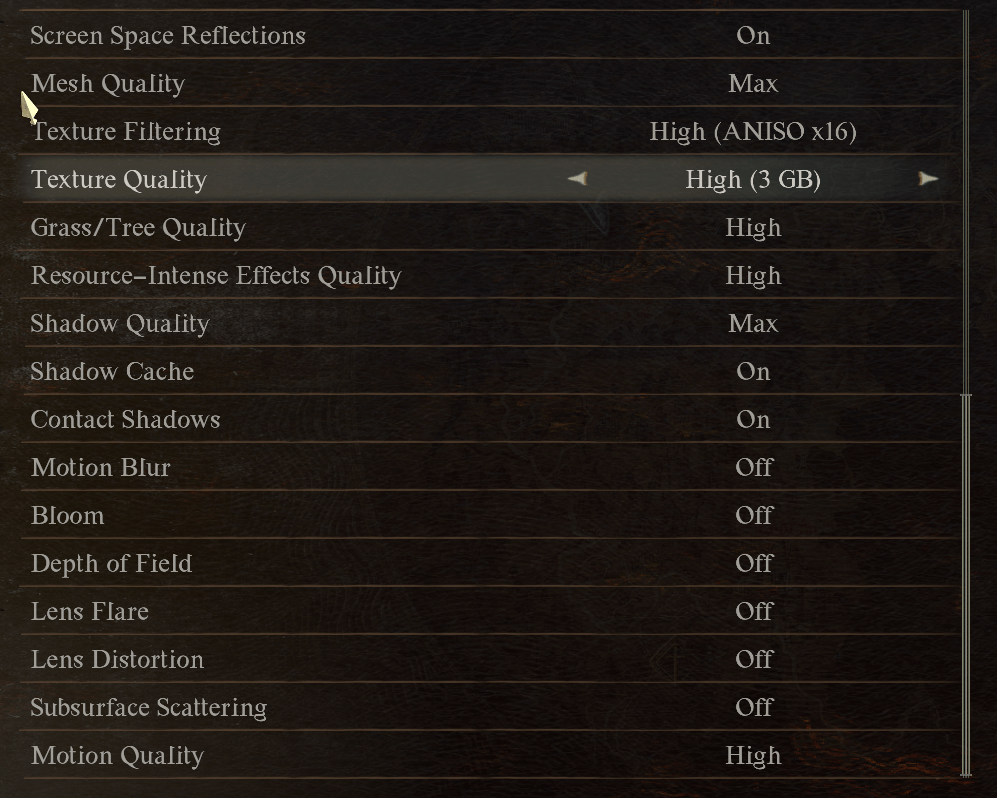
If you’re having general FPS issues even outside of towns, you may want to look into the game’s Graphical Settings and turn down many options; this has also been known to stop many of the random crashes people have been getting.
It may also be worth turning on Dynamic Resolution for lower-end PCs, though this has its own downsides.
Experiences will vary massively, as with PC gaming, but setting the following things to low or off may help in some cases.
- Ambient Occlusion
- Anti-Aliasing
- Mesh Quality
- Texture Quality
- Grass/Tree Quality
- Resource-Intense Effects Quality
- Shadow Quality
- Motion Quality
Crashes and Freezes
Crashing in Dragon’s Dogma 2 seems to be rare for some and common for others. Hopefully, one of these fixes will help solve any crashes your game is experiencing.
As we’ve mentioned before, outdated Graphics Card drivers are not uncommon causes of crashes, so it’s worth making sure you’re up to date.
Also, in some cases, a game once downloaded may become corrupted or may not even have been downloaded correctly. If you haven’t already, be sure to verify your game’s installation through Steam at least once.

Locking Frame Rate
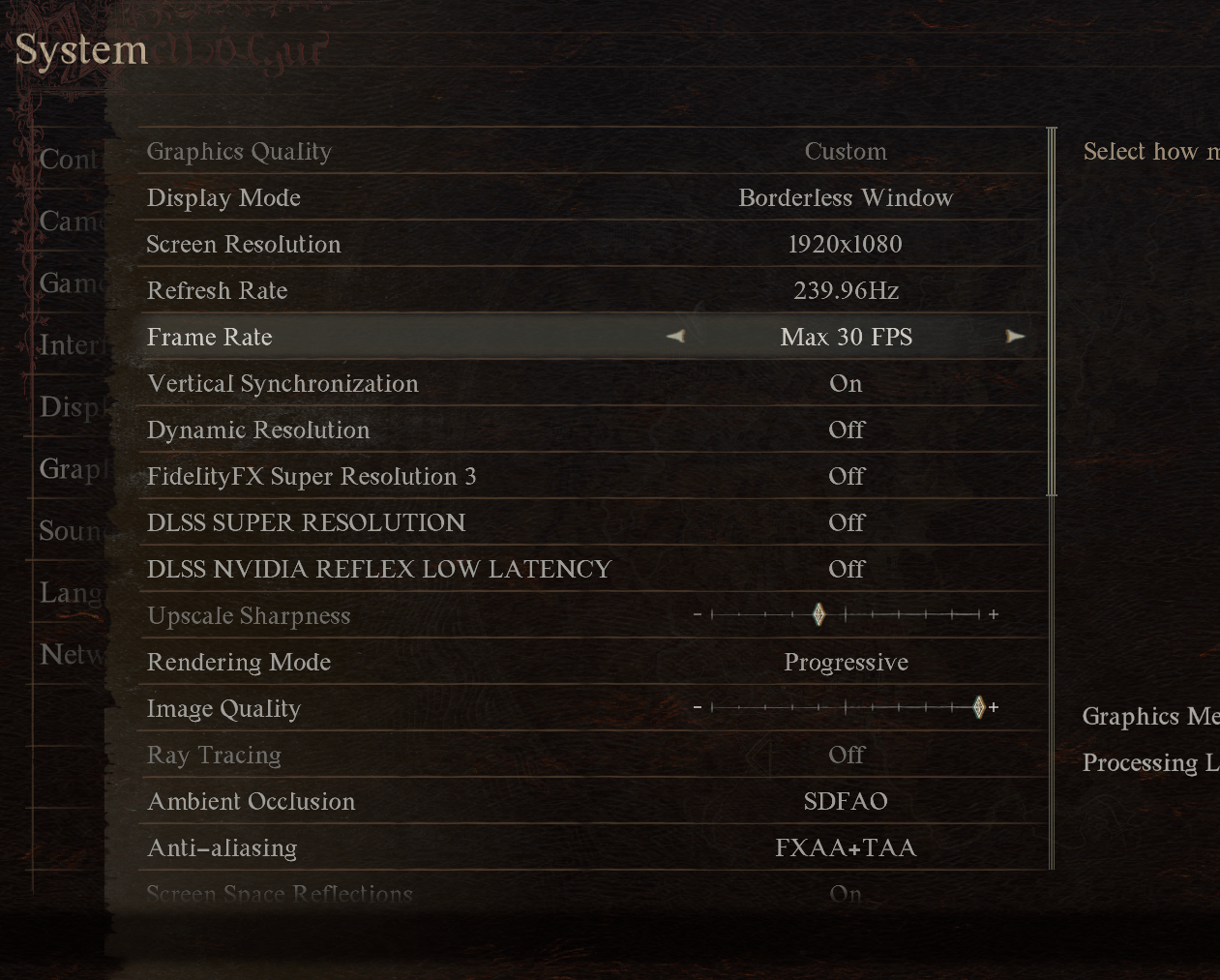
Unexpectedly, because of how the CPU is under constant strain in towns, it’s also been reported that locking your frames to 60 and even downward to 30 FPS can help solve crashing.
This isn’t a great solution considering a lot likely do not want 30 FPS, especially on PC but in some cases locking it now might be preferable to not playing, at least until Capcom comes up with a better solution.
It’s also been suggested that you lock your FPS outside of games with programs such as RivaTuner, which typically come bundled with MSI Afterburner.
Administrator Mode
It may seem odd, but some have reported on Reddit that running Steam in Administrator mode has worked for them to quell some of Dragon’s Dogma 2 Crashes that happen on start up.
You have two ways of doing this: search for the executable in Windows search, right-click the Application, and Run as administrator.
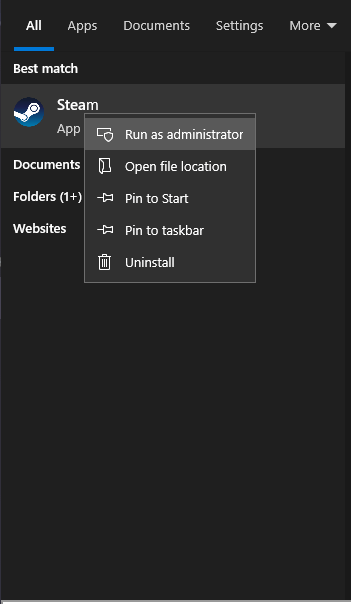
Alternatively, if you have the exe on your desktop, you can right-click that, go to “Properties,” hit “Compatibility” inside properties, and tick “Run this program as an administrator.”
You Might Have to Just Wait…
CAPCOM is definitely on the issue and keeps players updated through Steam, as that is where a large portion of the PC player base resides.
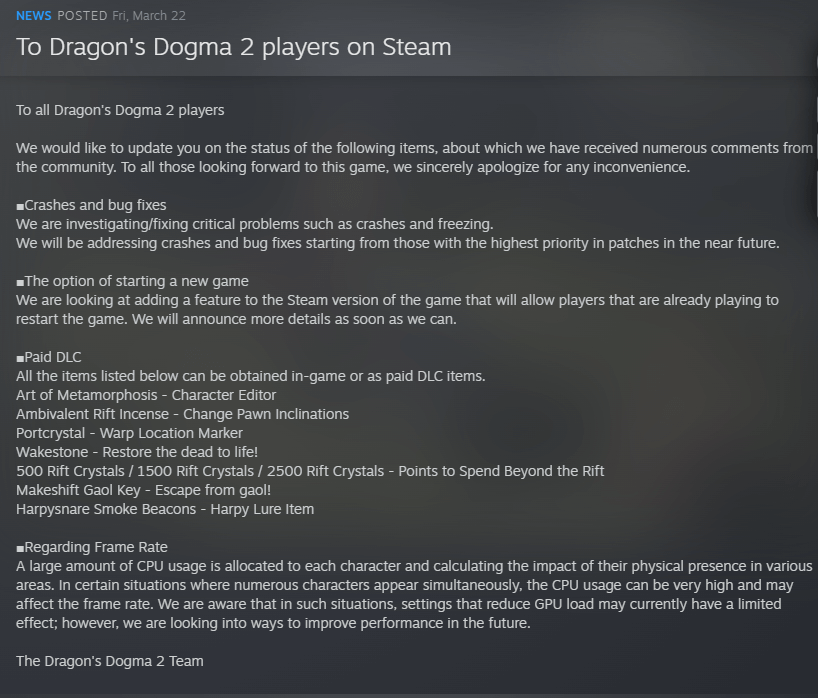
If you’re having serious issues after attempting some of our suggestions, the best action may be to shelve the game for a week until a few patches have been released.
